There's a sentence most people have started dictating and then stopped halfway through. Something about a colleague. Something about a diagnosis. A half-formed thought about a deal that isn't a deal yet. You catch yourself, delete the three words that made it, and type the rest — because somewhere in the back of your mind you know the microphone is wired to a server.
- Every Mac dictation app people pay for in 2026 is a cloud subscription. Pickclip's runs entirely on your Mac and is included in a one-time license.
- Dictation is the AI feature where uploading hurts most: you say things you'd never paste into a web form.
- The personal dictionary is the sharpest version of that argument — the vocabulary a cloud service would most like to have is exactly the vocabulary you'd least like to send it.
- The transcript is an input, not an output: it can be cleaned up, translated, filed to Notes, or pasted back where you were typing.
- On-device cost us things too, and we'll be specific about which ones.
Why the cloud won this category
Start by being fair to the competition, because the competition is good. The current crop of dictation apps — Wispr Flow is the one people mention most — are genuinely excellent products. They're fast, they punctuate well, they clean up your "um"s, and they feel like magic the first week.
They are also, as a category, subscriptions. Wispr Flow is $15 a month, or $12 if you pay for a year, and its free tier is capped at around two thousand words a week (pricing as published at the time of writing). That's not greed; it's arithmetic. If every second of your speech is transcribed on rented hardware, someone has to pay for the rented hardware every second, forever. A meter is the honest way to charge for a metered cost, and a word cap is what a meter looks like from the free side.
So the model makes sense. What it also means is that the product's core loop is: your voice leaves your machine, thousands of times a day, for years.
Dictation is the one feature where that trade hurts most
We ship a lot of on-device AI in Pickclip, and we're used to the privacy conversation. Dictation is different, and it took us a while to articulate why.
When you use an AI feature by copying text into it, there's a beat of deliberation. You select something, you look at it, you decide. That beat is a filter — it's why nobody accidentally pastes their medical history into a translation box.
Dictation deletes the beat. The whole point is that speaking is faster and less considered than typing; you use it precisely because you don't want to compose first. And the things people reach for it for are the unguarded ones: a message about a difficult colleague, a note to self about a symptom, the first version of an idea that's still embarrassing. Dictation is the interface where you say the things you'd never paste.
Cloud dictation asks you to accept an always-available upload path for exactly that category of speech. Plenty of people make that trade knowingly and are fine. We didn't want to be the ones asking.
What on-device actually cost us
Here's the part that usually gets left out of posts like this. Choosing on-device isn't a moral flourish, it's a set of concessions, and we made all of them:
- We don't get to pick the model. Dictation runs on Apple's on-device speech engine in macOS 26 — the same silicon that runs the rest of Pickclip's AI. We can't swap in a bigger one because a bigger one wouldn't fit on your laptop.
- There's a first-run download. The speech model for your language is fetched from Apple once, the first time you dictate. If it isn't there yet, the menu bar says so and offers to get it. After that, dictation works with the Wi-Fi off.
- Requirements got stricter. macOS 26 or later, on Apple Silicon. A cloud app can support a 2017 MacBook because the 2017 MacBook isn't doing the work.
- No server-side second pass. A cloud service can re-score your transcript against a much larger model before you ever see it. We can't. What we can do is let you correct it — which turned out to be the more interesting feature, and the rest of this post is largely about it.
What we got in exchange: no account, no API key, no per-minute meter, no word cap, no network dependency, and a microphone that is wired to nothing but your own machine. Audio and transcript both stay put.
The personal dictionary is where the argument gets sharp
Every dictation tool on earth mangles the same three categories: your colleagues' names, your product names, and your team's jargon. "Mackenzie" comes out "McKenzie." Your company name becomes two other words. The ticket id becomes a number.
The fix is universally understood — teach the recognizer your words. And notice what that means for a cloud service:
To make cloud dictation get your colleagues' names right, you upload a list of your colleagues' names.
Plus your clients. Plus your unreleased product names, your internal project codenames, your medications, the acronyms only your team uses. A dictionary is a distilled index of the people and things in your life, which is what makes it so effective — and what makes it the single most sensitive file the feature touches.
The vocabulary that would be most useful to a cloud dictation service is exactly the vocabulary you'd least like to upload.
Pickclip's personal dictionary never goes anywhere. It has two kinds of entry, because the two failure modes are different and people reach for them at different moments:
- Vocabulary words are a nudge. They're handed to the local recognizer as context before any audio flows, and they tilt its own decoding toward your terms — so a fix arrives with the right spelling, inflection and spacing. Reach for this when the engine sometimes gets a word right.
- Replacement rules are a guarantee. A deterministic heard → written substitution applied to the finished transcript. Reach for this when the engine always produces the same wrong thing.
The rules are boring in the way infrastructure should be boring. Whole words only, so a rule for "cat" never touches "category". Case-insensitive going in — how the recognizer capitalized a word it mis-heard is not a signal worth honouring — and your spelling wins coming out, which makes "iphone → iPhone" a legal rule. One left-to-right pass, so no rule can cascade into another or loop on its own output.
An empty text field is a bad way to begin. But Pickclip is already a clipboard manager — and the proper nouns in your clipboard history are precisely the terms dictation gets wrong. Names, product names, ticket ids, domain jargon: you copy them all day.
So Suggest from Clipboard History reads your recent clips locally and offers up the repeated proper nouns it finds, ranked by how often you copy them. They're suggestions you confirm — nothing is ever added silently, because injected vocabulary is miserable to debug when it goes wrong.
One more honest detail: the list warns you when it gets long. Contextual biasing is a finite budget, and every extra word dilutes the nudge the important ones get. Past about forty entries the dictionary starts saying so, rather than letting recognition quietly rot while the list keeps growing.
A transcript is an input, not an output
This is the part we'd argue is the actual product, and it's the part that has nothing to do with privacy.
A dictation app's job description ends at one place: it types the words into the field that has focus. Which is fine, until you notice how often the raw words aren't what you wanted. You rambled. It's in the wrong register for the person you're writing to. It should have gone to Notes, not into this reply box. It needs to be in Spanish.
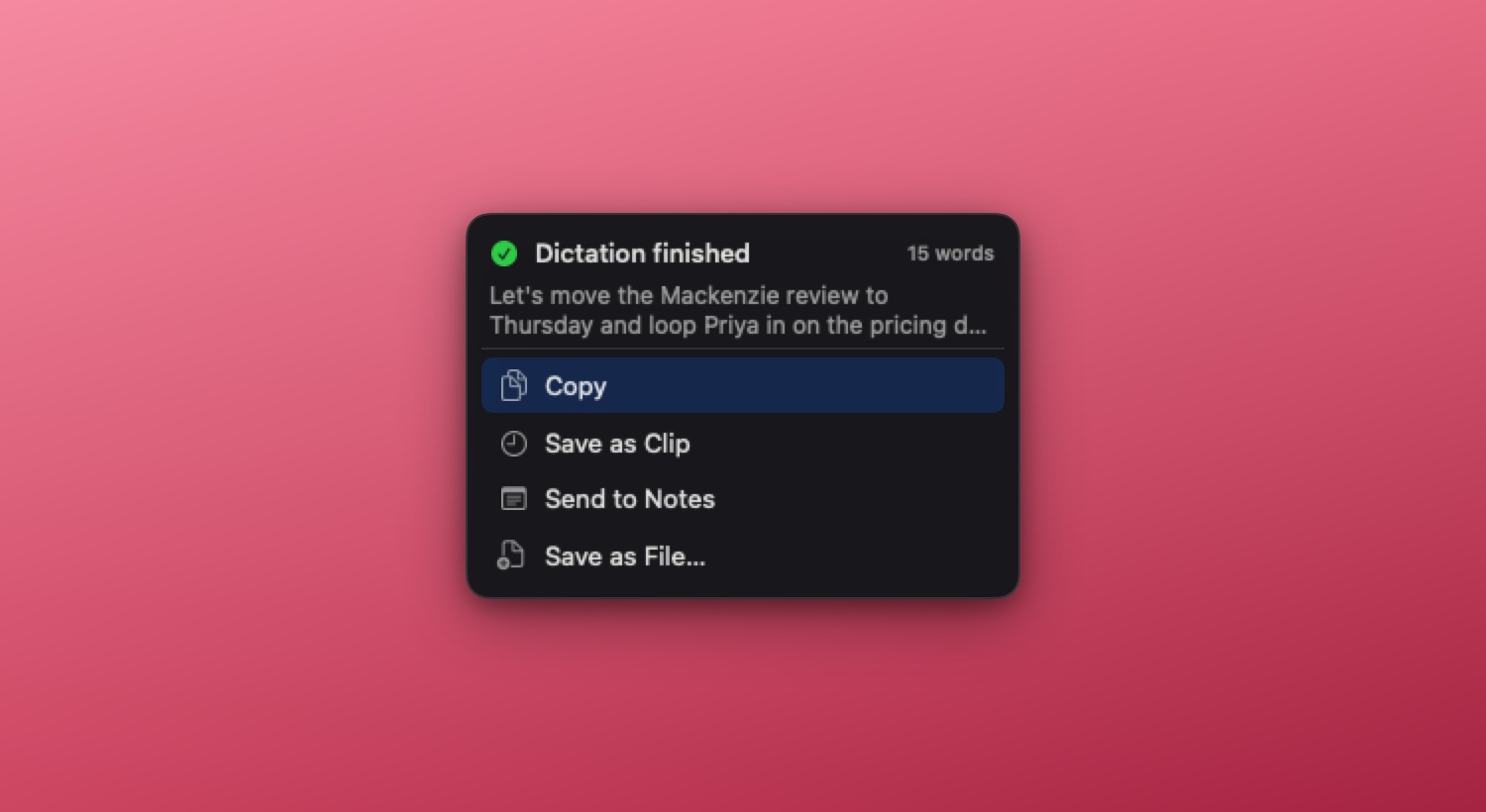
Because Pickclip is a clipboard manager first, dictation lands somewhere different: the transcript is caught before it goes anywhere, which makes it ordinary Pickclip material. Stop talking and you can send it to the clipboard, keep it as a clip in your history, push it to Notes, or write it to a file. And once it's a clip, every action you've built works on it, with the destinations you already configured.
Or you can skip the chooser entirely. Configure a short pipeline once, and every finished transcript runs through it:
transcript → Fix → paste into the app you were in
Speak a rough thought at your Slack window; a clean sentence appears in the reply box. Add a translate step and you're dictating English into Spanish. Send it through one of your own actions — "turn my rambling into three bullets" — and that's what lands. It's off by default, and if a step fails the chain stops and the save chooser opens with your original transcript, because speech should never be lost to a broken automation.
That's the thing a dictation app structurally can't offer: not better transcription, but a transcript that's plugged into everything else you do with text.
Three hundred and fifty milliseconds
Let us tell you about the smallest decision in the feature, because small decisions are where products are actually made.
Dictation has two gestures. Press to start and press again to stop, which suits the paragraph you've been putting off — your hands come back to the keyboard and nothing is riding on you holding a key. Or push-to-talk: hold the shortcut while you speak, release when you're done, which suits the short burst that is most of daily use — a Slack reply, a search query, a prompt — where entering and leaving a mode costs more than the speech does.
Push-to-talk raises a question with no obvious answer: what should an accidental tap do? You brush the key. The press and release arrive 80 milliseconds apart. Two reasonable answers, both wrong:
- Record it. Now a brush of the key gets you a popup and an empty transcript — the app twitching at you for no reason.
- Ignore it. Now the hotkey looks dead to anyone who taps — which is everyone arriving with toggle muscle memory, on their first try, right after they changed the setting.
So a tap shorter than 350 ms does neither: it latches. The session keeps running and the next press stops it — which is exactly toggle behaviour. In hold mode both gestures work, and neither one hands you an empty session.
Why 350 ms: longer than a brush or a bounce off the key, comfortably shorter than the briefest deliberate "hold and say one word". And two details we're quietly pleased with. The threshold counts as a hold rather than a tap, so a clock that ran backwards lands on the safe side — latching, never a surprise stop. And presses are stamped against the monotonic uptime clock rather than the wall clock, so a time correction arriving mid-sentence can't turn your hold into a tap.
Nobody will ever notice any of that. That's rather the point: it's the difference between a feature that feels solid and one that feels flaky, and there is no way to get there except by picking the boring answer to a hundred questions like this one.
What it doesn't do
Since we're being specific: dictation in Pickclip is one voice — yours, at your cursor, in the app you're working in.
- It doesn't separate speakers. No "who said what", no labels.
- It isn't a meeting recorder, and there's no library of past transcripts to browse or search. Each transcript goes where you send it — the clipboard, your history, Notes, a file — and that's the record.
- It needs macOS 26 or later on Apple Silicon, plus microphone permission, plus that one-time model download.
All of which is to say it's a dictation feature, not a transcription service. If what you need is a room full of people attributed by name, this isn't that yet.
Ten dollars, once
The money is the part that surprises people, so here it is plainly. Dictation isn't an add-on tier or a per-minute allowance. It's included in Pickclip's one-time license — $10 at our current early-user pricing — alongside the clipboard history, the on-device AI actions and the screenshot OCR. Free for 14 days first, with no account.
We can price it that way for the same reason we could build it this way: the transcription runs on hardware you already bought. There's no meter to pass on. If you dictate ten thousand words today, our costs don't move, so your bill doesn't either.
That's the whole argument, really. On-device wasn't the easy path — it narrowed our requirements, took away the option of a bigger model, and made the first run depend on a download. But it's the only version of dictation where the sensitive vocabulary stays yours, the meter doesn't exist, and the feature still works on a plane. For the one interface people use to say the things they'd never type, that seemed like the trade worth making.
Say the next paragraph instead of typing it.
Press ⌥⇧D in any Mac app — or hold it like a walkie-talkie — and a live transcript appears at your cursor. On-device, with a personal dictionary that stays on your machine. No account, no subscription, no word caps.
↓ Download for Mac Free 14-day trial · macOS 26+ · Apple Silicon · More about dictationFrequently asked questions
Is there a Mac dictation app that works offline?
Yes. Pickclip dictates with the on-device speech engine built into macOS 26. macOS fetches the speech model for your language from Apple the first time you dictate; after that, transcription runs on your own Mac, network or no network.
Can I get Mac dictation without a subscription?
Pickclip is a one-time purchase — $10 at current early-user pricing — and dictation is included, along with the clipboard manager, the on-device AI actions and screenshot OCR. No account, no monthly bill, and no cap on how much you dictate. It's free for 14 days first.
Is on-device dictation actually private?
With Pickclip, yes. The audio is transcribed by Apple's on-device speech engine, and neither the audio nor the transcript leaves your Mac. Your personal dictionary stays local too — vocabulary words are handed to the local recognizer, and replacement rules are plain text substitutions applied on your machine.
Is Pickclip a Wispr Flow alternative?
For the core job — press a shortcut anywhere on the Mac, talk, get text — yes, without a subscription, an account, a word cap or an upload. Being fair about the differences: Wispr Flow is a polished cloud product with its own strengths, and it runs on Windows and iPhone as well. Pickclip is Mac-only, needs macOS 26 on Apple Silicon, dictates one voice, and keeps no library of past transcripts.
How is this different from the dictation built into macOS?
It's a different job. System dictation types into whichever field has focus, and that's the end of it. Pickclip catches the transcript first, so your dictionary can correct it, one of your actions can rewrite it, and you decide where it lands — the clipboard, your clipboard history, Notes, a file, or back into the app you were typing in.
Can it transcribe a meeting or tell speakers apart?
No. Pickclip dictates one voice — yours, at your cursor, in the app you're working in. It doesn't label speakers, record a room, or keep a library of past transcripts to browse or search.
What do I need to run it?
macOS 26 or later on Apple Silicon, and permission to use the microphone. The speech model for your language downloads once from Apple, the first time you dictate.
Dictation is one way text gets into Pickclip. The more interesting question is what happens to it next — which is what custom actions are for.