Most of what you copy isn't quite ready to paste. It's in the wrong language, it has typos, it's a link wrapped in tracking junk, or a date in the wrong format. The usual fix is a tedious loop: copy, paste somewhere, clean it up, re-copy, paste again. Custom clipboard actions collapse that loop into a single step — the transformation happens the moment you copy.
- Transform on copy means the cleanup happens automatically, at your cursor, instead of in a separate app.
- Built-in actions cover the common ones: fix grammar, translate, organize, clean a link, paste as plain text.
- Custom actions let you describe a new one in plain English — Pickclip decides whether it's a job for AI or a tiny script.
- It all runs on-device, so the text you copy never leaves your Mac.
What "transform text on copy" actually means
A normal clipboard is simple: whatever you copy is exactly what you paste. A clipboard that supports actions adds one step in between. When you copy text, a small popup appears right where your cursor is, offering things you might want to do to that text — and if you pick one, the result lands back on the clipboard, ready to paste.
So instead of:
copy → open a translation site → paste → copy the result → switch back → paste
you get:
copy → pick "Translate" → paste
Same idea for fixing typos, tidying a messy paragraph, or stripping tracking parameters off a URL. The work moves to where you already are.
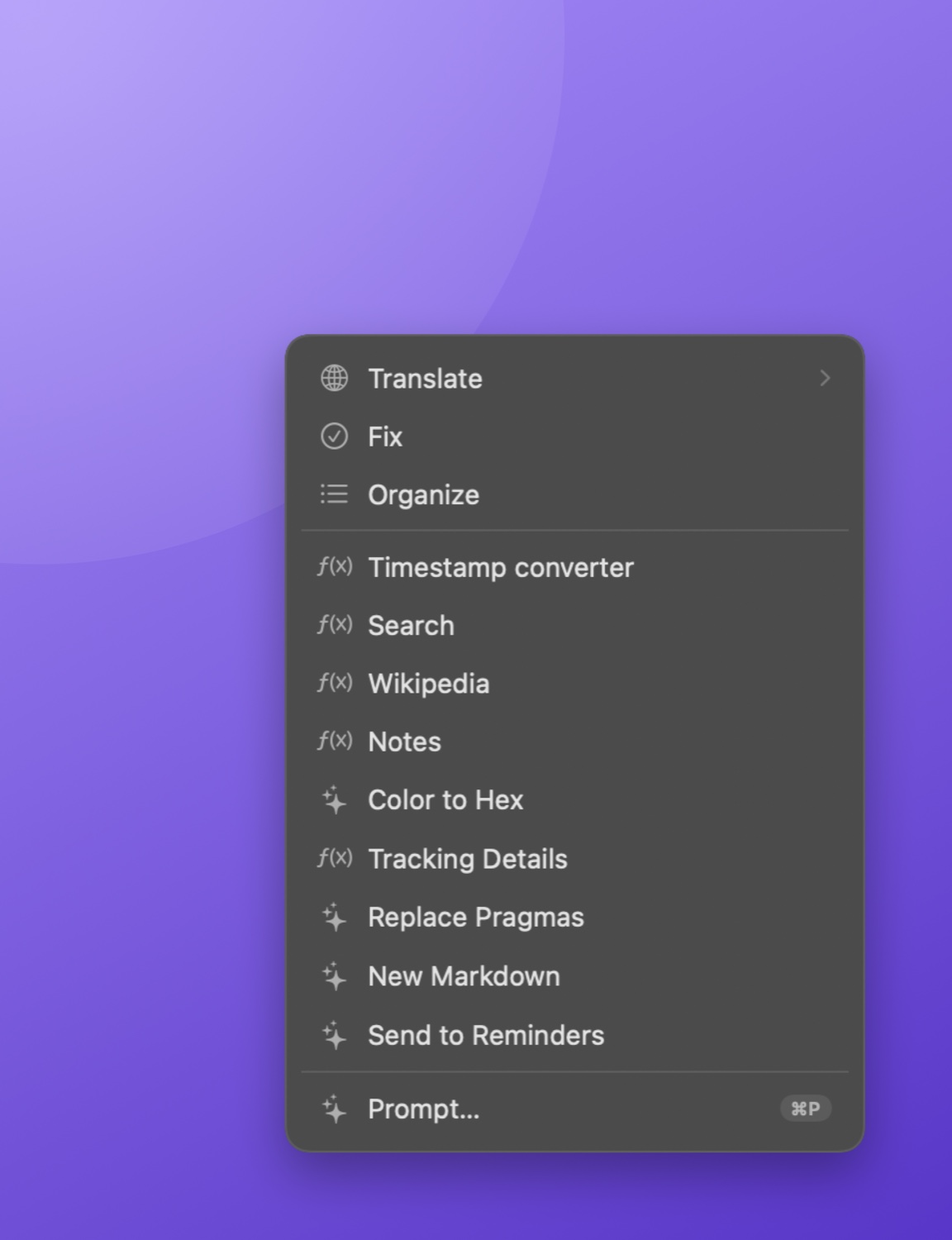
The built-in actions
Out of the box, a good clipboard-with-actions handles the cleanups you do most:
- Fix — spelling, grammar, and punctuation corrected in place, without rewriting your meaning or dropping a sentence.
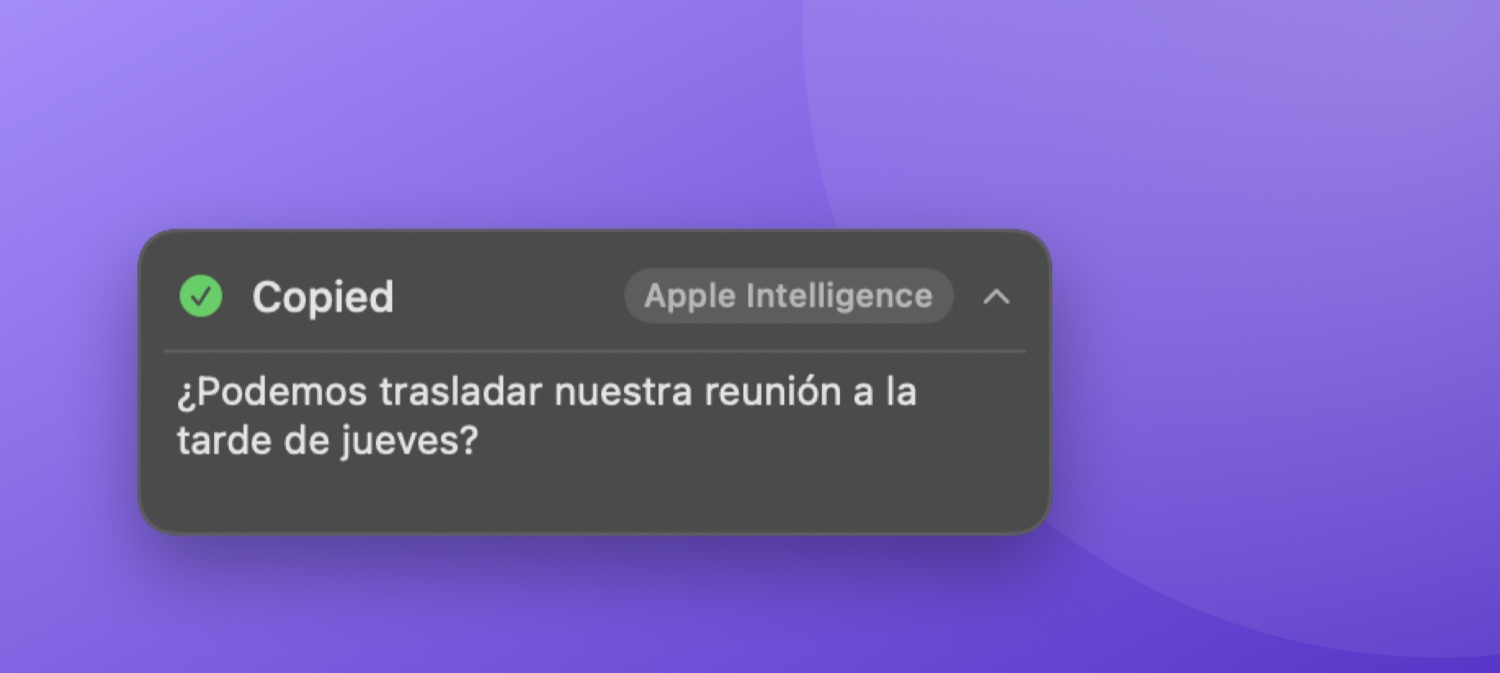
- Translate — into Spanish, French, German, Japanese, and more, at your cursor in about a second, no browser tab.
- Organize — turn a stream of consciousness into tidy paragraphs and bullet points.
- Clean Link — strip
utm_*,fbclid,gclidand other tracking parameters off a URL before you share it. - Plain Text — drop the fonts, colors, and styling from a rich-text copy so it pastes matching the document you're in. (Yes — this finally fixes "paste as plain text on Mac" without a key-combo gymnastics routine.)
Custom actions: describe it in plain English
The built-ins cover the common cases. The interesting part is building your own. In Pickclip you give an action a name and describe what it should do in plain language — and it figures out the right way to run it. Under the hood, every custom action becomes one of three kinds:
1. AI actions — for language, tone, and meaning
Anything about how something reads runs on the same private, on-device model as the built-ins. For example:
- "Rewrite this as a polite email."
- "Summarize in one sentence."
- "Make it sound confident."
- "Turn these notes into a tweet."
2. Script actions — for exact, repeatable jobs
For the things AI is bad at doing but good at coding — dates, numbers, patterns — Pickclip writes a small script once, shows it to you to approve, then runs it locally in a sandbox. No AI at run time, so it's instant and identical every time:
- "Convert a Unix timestamp into a readable date."
- "Pull every email address out of a blob of text."
- "Strip tracking parameters from a URL."
- "Change this to Title Case."
Language models are great at language and unreliable at arithmetic and exact formatting. So Pickclip uses AI where it shines and a tiny deterministic script where you need the same answer every single time. You don't have to know which is which — describe the task and it picks. Scripts run in a JavaScript sandbox with no filesystem, network, or system access and a hard time limit.
3. Smart actions — for "do something with it"
Some instructions aren't a transformation at all — they're a destination. "Open the URL in a new tab." "Search this on the map." Pickclip recognizes those and routes the result where it belongs.
Send the result somewhere — not just the clipboard
An action's output doesn't have to land back on the clipboard. Any custom action can have a destination: a new note in Notes, a fresh TextEdit document, an Apple Music search, a result URL opened in your browser, any app (activated with the result already copied — one ⌘V from done), or one of your own Shortcuts run with the result as its input. Copy something, pick an action, and it's filed exactly where you wanted it.
Automatic actions: skip the popup entirely
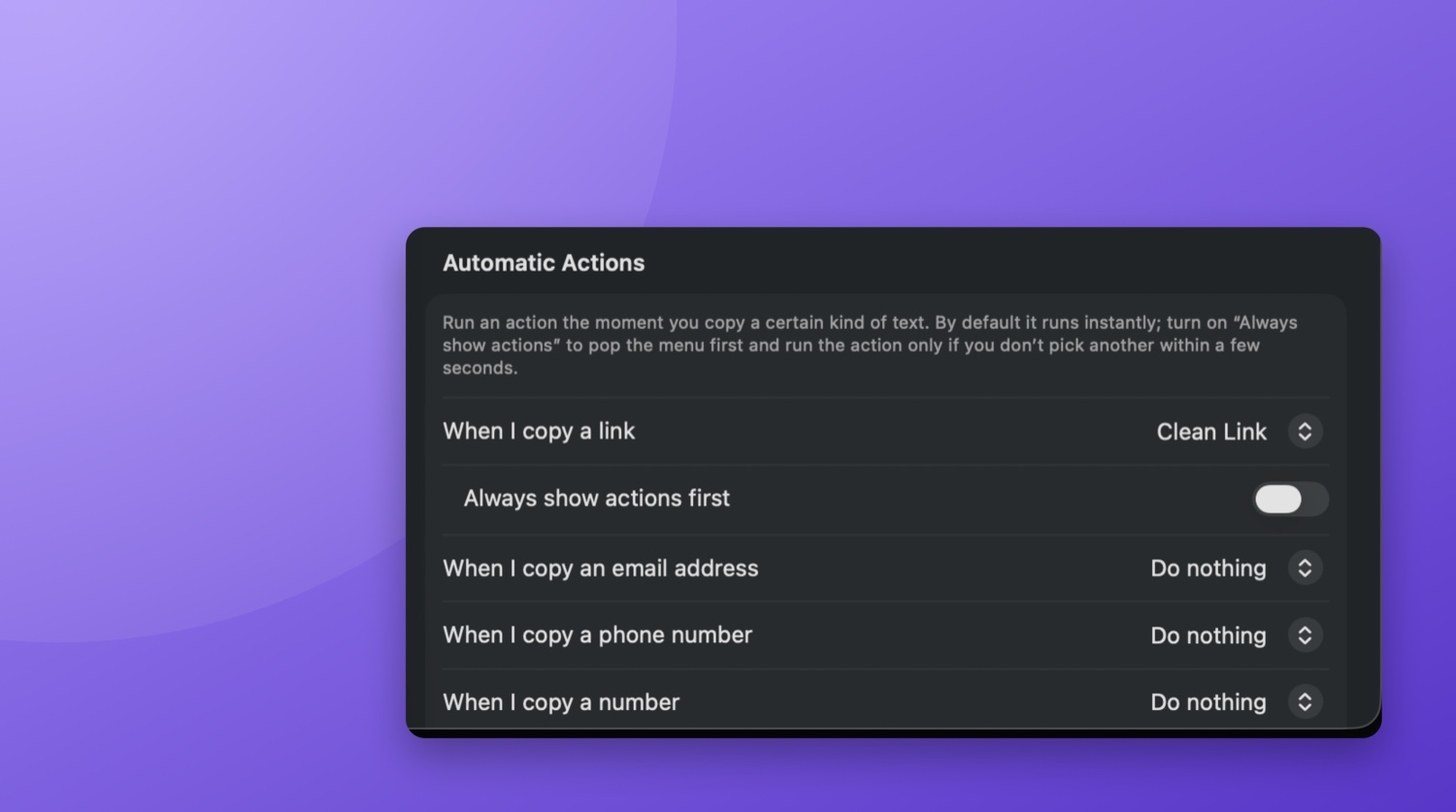
Once an action proves itself, you can make it fire on its own. Automatic actions map a kind of copied text to an action that runs the instant you copy — no popup, no click:
- Copy a link → tracking junk is stripped automatically.
- Copy rich text → it's flattened to plain text every time.
- Copy a tracking number, JSON blob, color code, phone number → your rule runs.
Classification is pure pattern matching (no AI guessing), rules skip anything that wouldn't actually change, and there's always a one-click "Restore Original Copy" if a rule fires when you didn't want it to.
A few things people have built
| You describe | Runs as |
|---|---|
| Rewrite in a warm, friendly tone | AI |
| Summarize to one sentence | AI |
| Turn rough notes into a tweet | AI |
| Convert a timestamp to a date | Script |
| Pull every email out of a blob | Script |
| Strip tracking junk from a URL | Script |
Why on-device matters here
Clipboard automation only works if you're willing to let the tool see what you copy — and you copy sensitive things all day (messages, addresses, snippets of code, license keys). Pickclip's AI actions run on Apple Intelligence, the model on your Mac's own silicon, or on a local model you can point it at. Script actions run in a sandbox with no network. No account, no API key, no telemetry — the text you copy never leaves your machine, and everything works offline.
Build your own clipboard actions — in plain English.
Pickclip turns "fix this," "translate that," "clean this link," or anything you can describe into a one-click action at your cursor — powered by on-device AI and tiny sandboxed scripts. No cloud, no subscription.
↓ Download for Mac Free 14-day trial · macOS 26+ · Apple SiliconFrequently asked questions
How do I transform text automatically when I copy it on Mac?
Use a clipboard manager that supports actions. When you copy, it offers transformations like fix grammar, translate, or clean a link at your cursor — and with automatic-action rules, certain kinds of text are transformed the instant you copy them, no click needed.
Can I create my own clipboard actions?
Yes. In Pickclip you name an action and describe it in plain English. It decides whether the task is best done by AI or by a small deterministic script, shows you the result for approval, then adds it to your copy popup next to the built-ins.
Can a clipboard manager fix grammar or rewrite text?
Yes — that's exactly what the Fix and AI actions do. Copy a sentence with typos and choose Fix to correct it in place, or build a custom action like "make this more formal" that runs on the on-device model.
Is clipboard automation private?
With Pickclip, yes. AI actions run on-device with Apple Intelligence (or your own local model), and script actions run in a sandbox with no network access, so the text you copy never leaves your Mac.
Actions aren't only for text. Copy a screenshot and Pickclip can pull the words straight out of it — here's how that works.